How lean product management helps teams ship faster
Shipping new products in fast-moving markets is tough. You try to move quickly, but execution keeps drifting away from the customer-focused decisions that create a great product—and then momentum disappears. Without a clear business strategy and room for continuous improvement, speed turns into rework instead of progress.
Lean product management changes that. When learning guides decisions, teams build better products faster—and with clarity, evidence, and purpose.
What is lean product management?
Lean product management is the Agile discipline of making product decisions quickly and confidently, without piling on extra processes. The goal is simple: keep what you learn connected to what you build. That way, insights from research and feedback stay visible as prioritization and execution begin.
Ultimately, most teams struggle with sprawl, not ideas. For instance, feedback often lives in one tool, research in another, and the roadmap somewhere else entirely. Decisions might happen in threads or meetings, then fade. The work still moves forward, but the context disappears, which means every prioritization conversation feels like starting from scratch.
To change that reality, lean product management ensures that the right research, facts, and customer signals are accessible when teams decide what to work on next. Notion further helps with this process by connecting research, specs, roadmaps, and daily work in one workspace to maintain momentum between stages.
And with Notion AI’s help, you can also summarize feedback and surface patterns to prioritize needs and shape backlog ideas into work that your team can act on right away.
The principles and benefits of lean product management
At its core, lean product management is about making smarter decisions with less friction. Here’s what that often looks like in practice:
Learning earlier: Testing assumptions before teams commit time and resources
Prioritizing with real evidence: Using research and customer signals to guide what you build
Cutting work that doesn’t serve the outcome: Reducing the effort you spend on ideas that won’t deliver value
These core principles let you adjust direction without heavy processes, connect context across discovery and delivery, and ensure that decisions hold up under pressure. This not only reduces time to market but also leads to better judgment because, rather than chasing scattered inputs, you can align around what truly matters.
What problems does lean product management solve?
Modern product development moves fast—but context doesn’t always keep up.
Lean product management steps in at that pressure point by connecting learning to the work and setting the stage for faster decisions that reflect real customer pain points and impact. Here’s how:
Preventing tool fragmentation
Fragmentation slows teams long before it shows up in delivery. In fact, Tech-Clarity’s 2025 State of Product Development report found that 45 percent of professionals say their biggest delays come from not being able to find the correct version of information. Product-Led Alliance’s 2025 State of Product Ops report supports this—it found that 24 percent of formal product ops teams agree that siloed tools are their top challenge.
Lean product management tackles this fragmentation by bringing work, context, and decisions back into the same environment. It does so by linking reasoning and evidence to the work as your product evolves. That way, you’re not reconstructing intent every time priorities shift.
Then, when context travels with the work rather than depending on someone remembering the backstory, you can make decisions more quickly and see risk more clearly.
Reducing waste in research, planning, and execution
Waste in product development doesn’t always look like failure. Instead, it often shows up as these repetitive manual tasks:
Re-triaging research by hand
Copying insights between systems
Rebuilding context when a sprint begins
Chasing status updates across threads
Rewriting problem statements every time a feature resurfaces
Tech-Clarity’s report also shows that 50 percent of development professionals lose time to tasks like these, and 60 percent report bottlenecks when work moves across stages. But Lean product management practices reduce that drag by making the story behind the work easier to carry forward. That way, when priorities shift, you don’t have to reconstruct the “why” or rehash the “how.” Instead, when context stays close to the work itself, changing direction feels like a continuation, not a reset.
In practice, that becomes much easier when you’re using a unified workspace. With Notion, for instance, you can link research to past learning, new opportunities, and delivery plans to keep everything visible as new work begins.
Improving cross-functional alignment
Alignment drifts when different teams operate from slightly different stories—and it’s a common problem. Product-Led Alliance also reports that 24 percent of product teams find it hard to align across departments, often because there’s no single source of truth anchoring intent and execution.
With lean product management, however, the reasoning moves with the work. This means you can change direction without losing the logic behind earlier decisions because intent, context, and impact remain linked to what you’re building.
How do lean teams use customer insights to drive decisions?
In lean thinking, learning informs every decision at every stage of the product lifecycle and product development process. Customer insights also drive better decision-making, which helps you create products that serve your audience’s needs and move forward quickly.
Here are three ways in which teams can do this:
1. Centralize research and feedback for faster signals
For lean project management teams, the first step is keeping all customer feedback together so signals arrive early enough to shape product strategy. If insights live across tools or in inconsistent formats, for example, you’ll waste time re-triaging information instead of validating ideas or refining the value proposition.
Centralizing research in this way makes it easier to see these aspects:
Customer needs that keep showing up
Ideas that are worth testing as a minimal viable product (MVP)
Work that won’t deliver meaningful customer value
Gaps that deserve another round of discovery
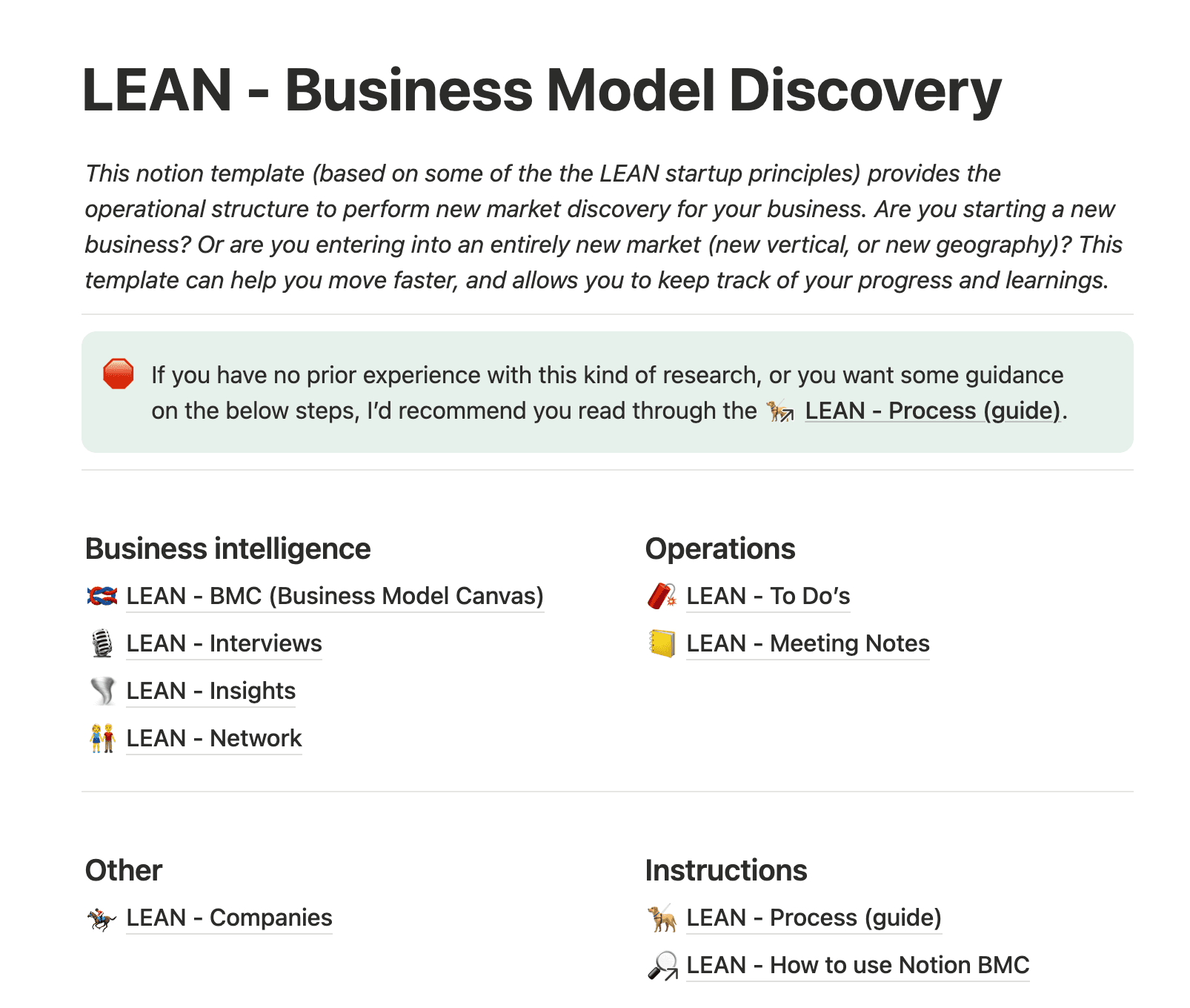
A Lean Business Model Discovery template in Notion, which includes linked pages for business intelligence (Source)
In practice, a connected workspace like Notion keeps research close to the backlog so insights don’t slide out of view.
2. Surface patterns across interviews, notes, and tickets
It’s good to have a lot of research, but the challenge is making sense of it.
With all your insights in one place, you can look for patterns across interviews, notes, and tickets to understand what real customers want. When this investigative step doesn’t happen, priorities tend to follow intuition or the loudest request, and the product roadmap becomes less customer-centric.
But while it’s important to decipher these trends and patterns, doing so manually is time-consuming and leaves you open to subjectivity. That’s where tools like Notion AI come in—they help you gain clarity faster and without extra work.
Notion AI Research Mode can complete the following tasks for you:
Summarizing large volumes of customer feedback
Grouping similar themes across interviews, notes, and tickets
Surfacing signals that influence scope, functionality, and effort
Generating opportunity summaries that you can turn into testable ideas
Instead of letting research sit on the sidelines, Notion AI turns existing insights into direction that teams can act on.
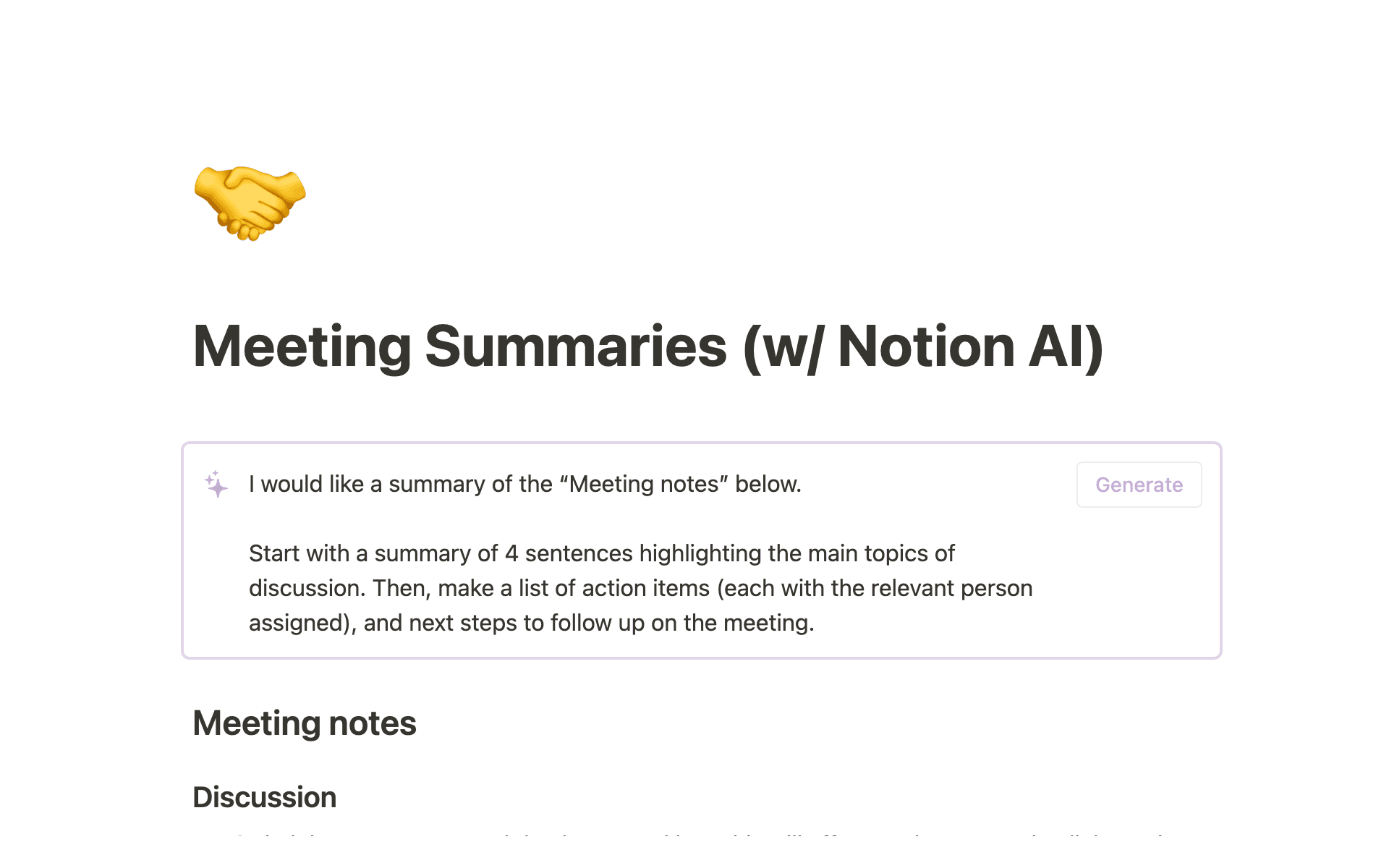
Notion AI prompts that instruct the tool to create a summary of meeting notes with action items (Source)
3. Turn insights into backlog-ready ideas quickly
In a Lean methodology, what you learn from research shapes what you build next. But Lean teams don’t jump straight to a big feature—instead, they break the idea down into smaller steps that they can test, learn from, and adjust based on real customer feedback.
In a workspace like Notion, these insights can feed straight into product development tasks and roadmap work, which allows you to move from insight to action without restitching the context at every step. And with Notion AI, you can turn that research into short opportunity summaries or early prototype directions to move into testing and iteration more quickly.
How do you prioritize lean product work with limited resources?
In lean product management, prioritization protects teams’ focus when everything feels urgent and roadmaps keep moving. The aim is simple: make decisions using real context from research, delivery constraints, and customer impact. Here’s how you can do just that:
Evaluate impact, effort, and confidence quickly
Lean teams keep prioritization straightforward by considering the idea’s potential impact, the effort it will take, and their confidence in the research behind it. They can then decide on what to do and move forward without getting bogged down in complex scoring frameworks or long debates.
In a unified workspace like Notion, those signals sit next to the work itself, which makes tradeoffs easier to identify and explain.
Use AI to score, tag, or cluster opportunities
When opportunities stack up in your shared database, Notion AI helps you cut through the noise. With it, you can generate quick summaries from research, group similar ideas, and draft lightweight scores that reflect customer value and viability.
This makes it far easier to see which ideas deserve attention now and which need more validation before you take action.
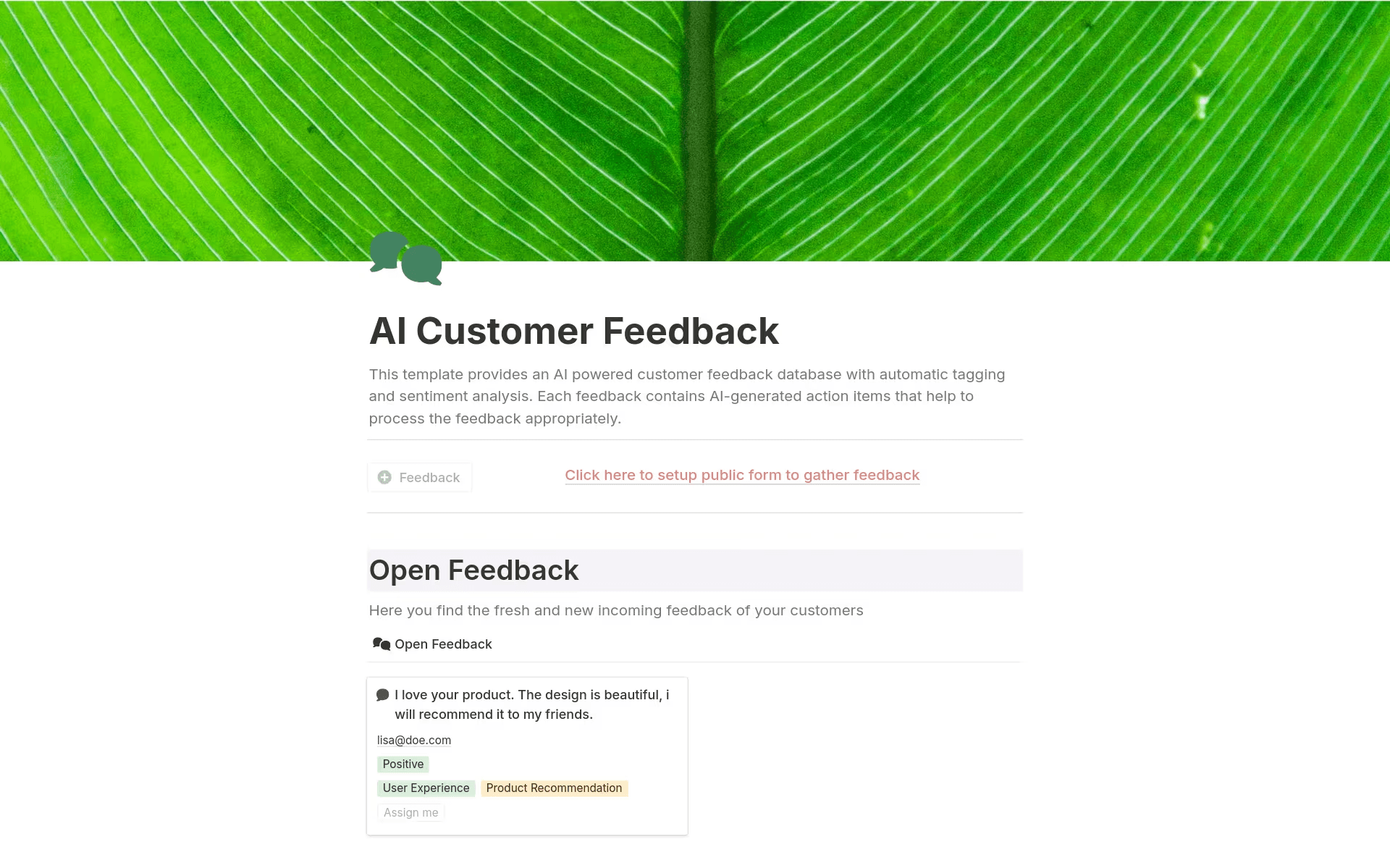
Notion AI’s customer feedback template allows you to gather insights, tag, and understand customer sentiment (Source)
Connect prioritization decisions to roadmaps and sprint plans
Prioritization doesn’t stop once you make a decision—it needs to carry through into product delivery, too. With Lean workflows, the decisions that set the priorities become the same records you link to your roadmaps and sprint plans. That way, you can see the reasoning behind the work as it moves forward.
In Notion, linked databases and relations keep the context behind decisions aligned with the work without extra effort.
How to get started with lean product management in Notion
Lean is easier to operationalize in Notion because everything’s linked in one connected database. With Notion AI, you can then turn that shared context into faster learning and smoother handoffs.
Ready to go but don’t know where to start? Follow this five-step process to learn how to get started—and how Notion can help:
1. Consolidate your product knowledge and workflows
To start, you’ll want to bring your research, specs, product strategy, roadmap, and sprint work into one workspace. Linking related docs and databases in this way prevents you from having split background context and active work across multiple tools while giving you a complete shared view of what’s happening and why.

Template
For more guidance at this stage, try out Notion’s Lean canvas template.
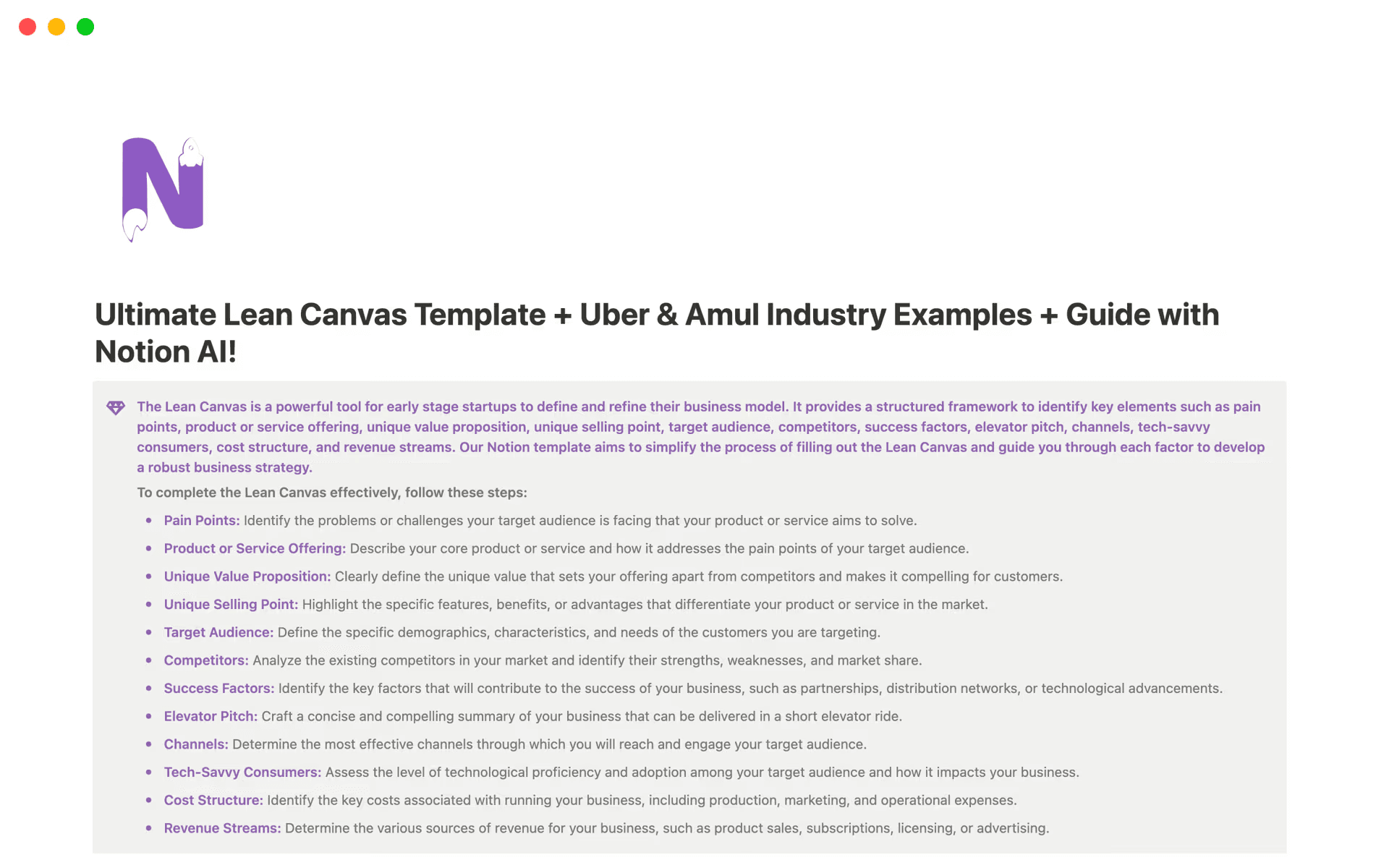
Notion’s lean canvas template shows instructions for how to use the database to collect initial ideas and feedback (Source)
2. Build a lean backlog that links to research, docs, and roadmaps
Next, create a backlog database using the linear product management template so every idea or opportunity links back to customer insights, interviews, tickets, and supporting docs.
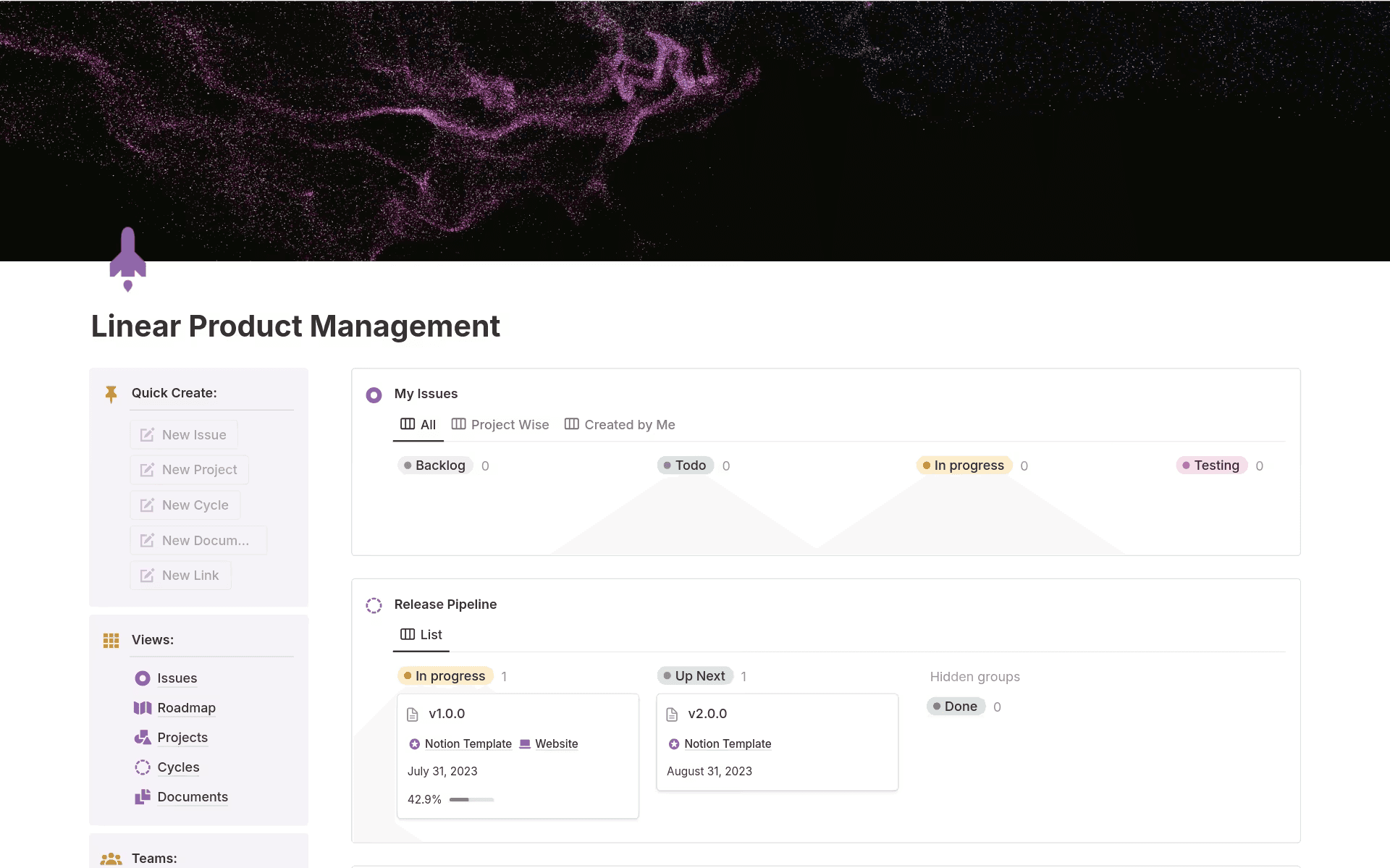
Notion’s linear product management template shows boards for issues and the release pipeline (Source)
Connecting everything in this way allows reasoning and evidence to move with an item as it heads toward delivery—no more manually recreating context or rewriting the story.
3. Use AI to summarize research and propose opportunities
Now, it’s time to use Notion AI to lighten the manual work that sits between research, prioritization, and delivery. To do this, you can have it complete these tasks for you:
Summarize customer feedback and research pages into usable insights.
Identify repeated customer problems and themes.
Generate early opportunity summaries from supporting evidence.
Draft lightweight descriptions or scope starters for MVP ideas.
Together, these tools remove the manual steps that build up between learning and action so you can ship with more confidence and less waste.
4. Prioritize with clear metadata and AI-enhanced scoring
With the above opportunities in your backlog, you can now add simple fields regarding impact, effort, confidence, and status. This structure keeps your prioritization consistent.
If you need a solid starting point, you can ask Notion AI to suggest provisional scores or point out where more validation may be useful.
5. Move validated work into execution with connected sprints
When an opportunity is ready, you should link it directly to roadmap items and sprint tasks. That’s because this record is what carries the background, assumptions, and business goals into delivery, so linking everything together keeps the “why” with the work. That way, you won’t have to re-explain decisions mid-build.
Build better products faster with lean product management in Notion
Lean product management helps you stay customer-focused, move with confidence, and keep learning connected to execution. It also allows every iteration to move the product forward without losing time to unnecessary processes.
The key here is to keep insights, decisions, and delivery in the same flow instead of scattered across tools. But to do that, you’ll need a unified workspace with AI research and prioritization assistance.
If you’re ready to put lean product management into practice, explore how Notion supports end-to-end product development today.