What’s New

Keep up with the latest releases, improvements, and fixes.

Follow @NotionHQ

Notion Academy & certifications, in 6 new languages

Notion Academy videos and certification programs are now live in 6 new languages— Spanish, Portuguese, Japanese, Korean, French, and German. That means newly localized videos, templates, quizzes, and exercises are available to learners worldwide.

This launch wouldn’t have been possible without collaboration with our global partners who helped build and test each path. Onepoint, Marie Goutron, Lou Attal, Marie-Morgane Chabert (FR), Hint, Elena Madrigal, La Agencia AI (ES), Keywalker, Nextmode, NRI (JP), Alest, Baltazzar (PT-BR) and others— thank you! Find and schedule time with our partners on our Marketplace.

Find all new languages now live at Notion Academy

Custom instructions for AI Meeting Notes

Custom instructions let you define exactly how AI Meeting Notes makes your summaries so they are as useful as possible after a meeting ends. Share context about your team and projects to improve accuracy, or define sections, tone, and length to shape the format.

To get started, go to the footer of any AI Meeting Notes block and select Instructions.

See the announcement on X →

New consent controls for AI Meeting Notes

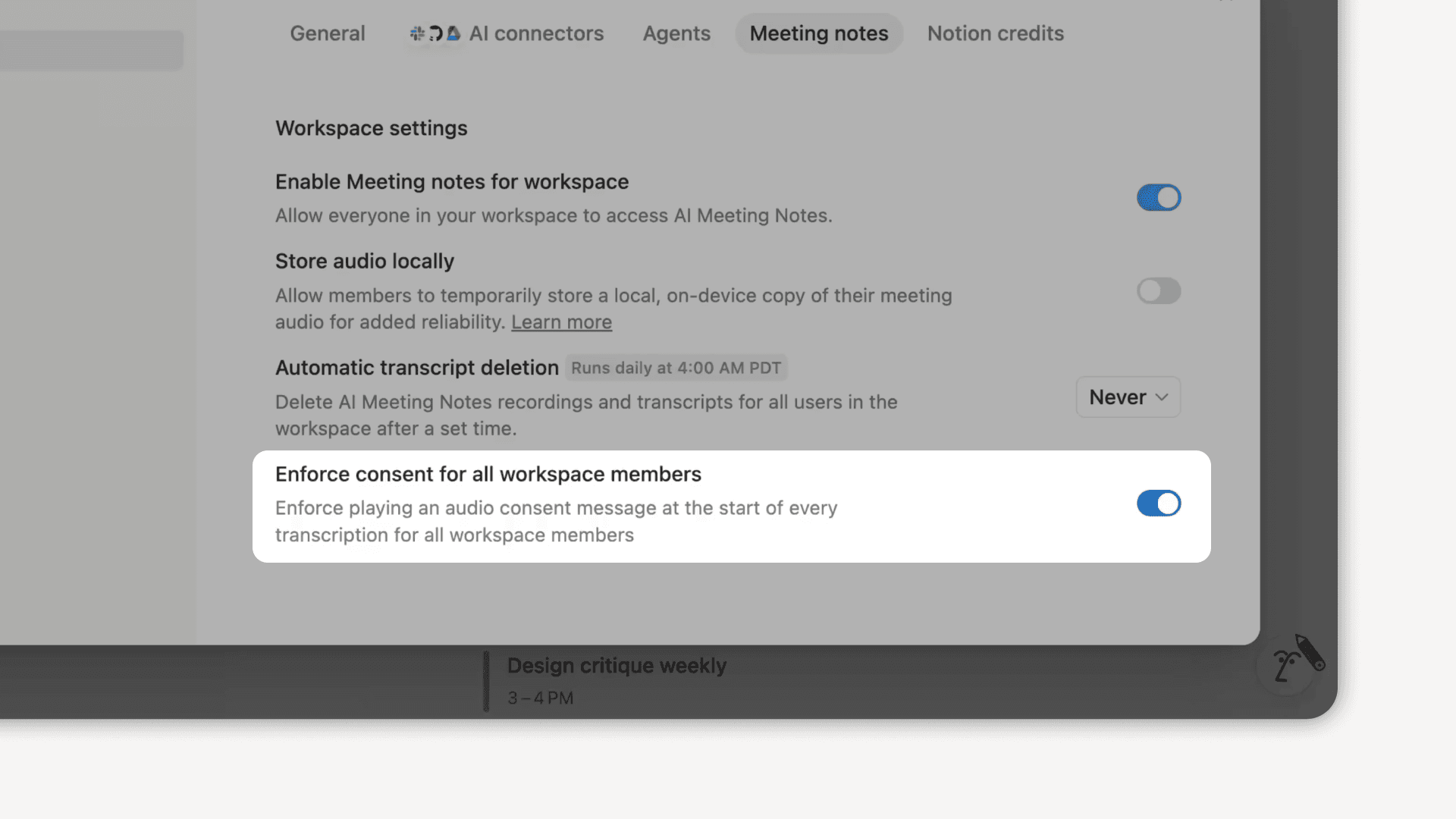
Workspace owners can now set a workspace-wide policy for AI Meeting Notes audio consent. Turn it on, and a consent message will automatically play at the start of each transcription to let others know you are using AI Meeting Notes.

Admins can update this anytime from SettingsNotion AIAI Meeting Notes and selecting the Enforce consent for all workspace members option.

Learn more from our Help Center

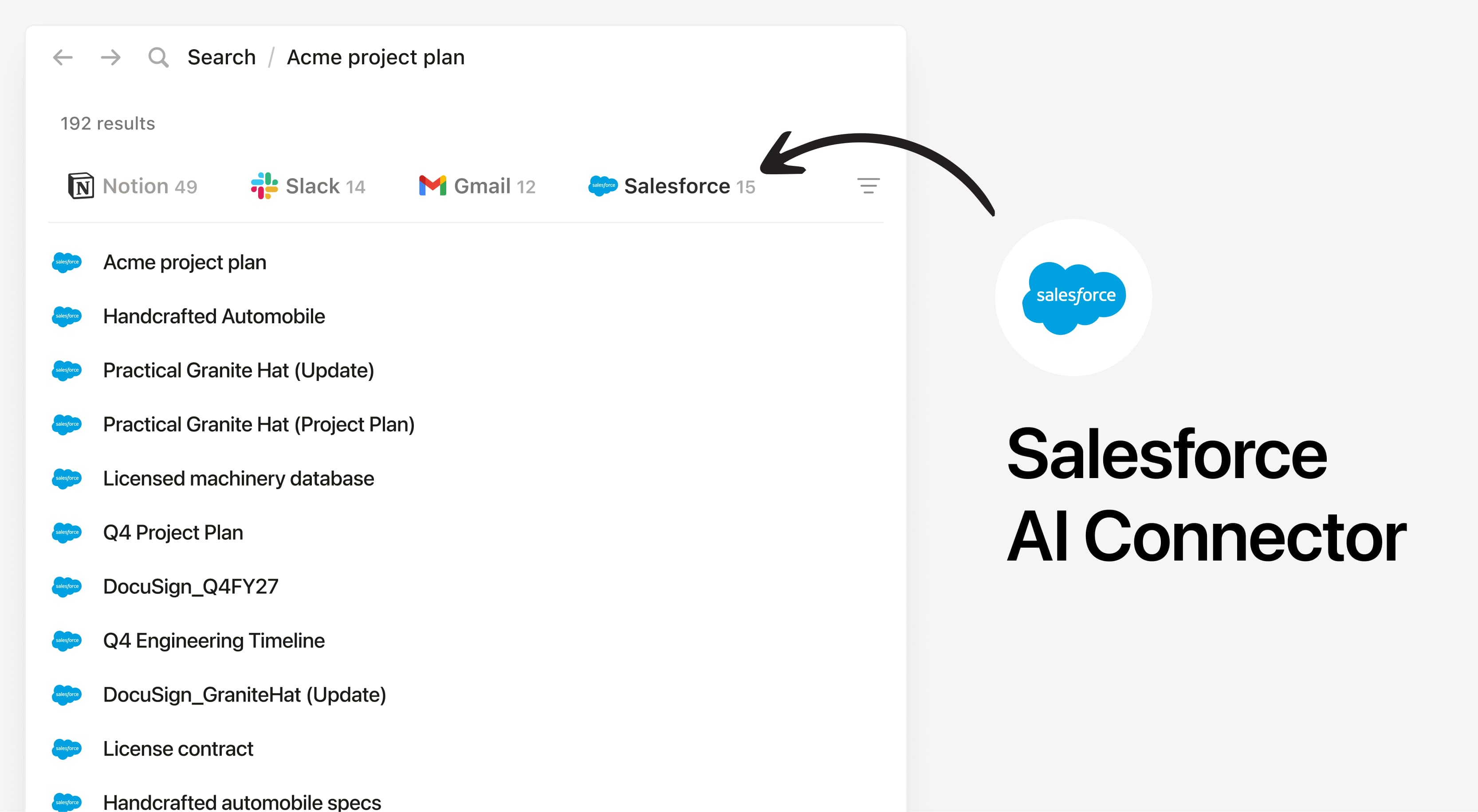
Search Salesforce accounts, leads, opportunities, and contacts in Notion

Notion AI can now search your Salesforce data (accounts, leads, opportunities, and contacts) right alongside everything else in your workspace. Ask questions about your pipeline, deal history, or get a quick summary on a contact without ever leaving Notion. Find AI connectors in your Notion AI settings to get started.

Learn more from our Help Center

Visualize progress with dashboard views

Dashboard views are a new database view for better visibility and context. This lets teams (and agents) easily assemble beautiful, glanceable overviews directly on top of their databases. Combine multiple views, KPIs, and key properties into one “control panel” so you can see what matters at a glance and act quickly.

Available on Business and Enterprise plans.

Generate images with Notion AI

Notion AI can now generate and edit images right on your page. Create cover images, realistic photos, styled charts, diagrams, and slide visuals, then refine them with follow-up prompts until they look just right. Just type /ai image or ask Notion AI in chat.

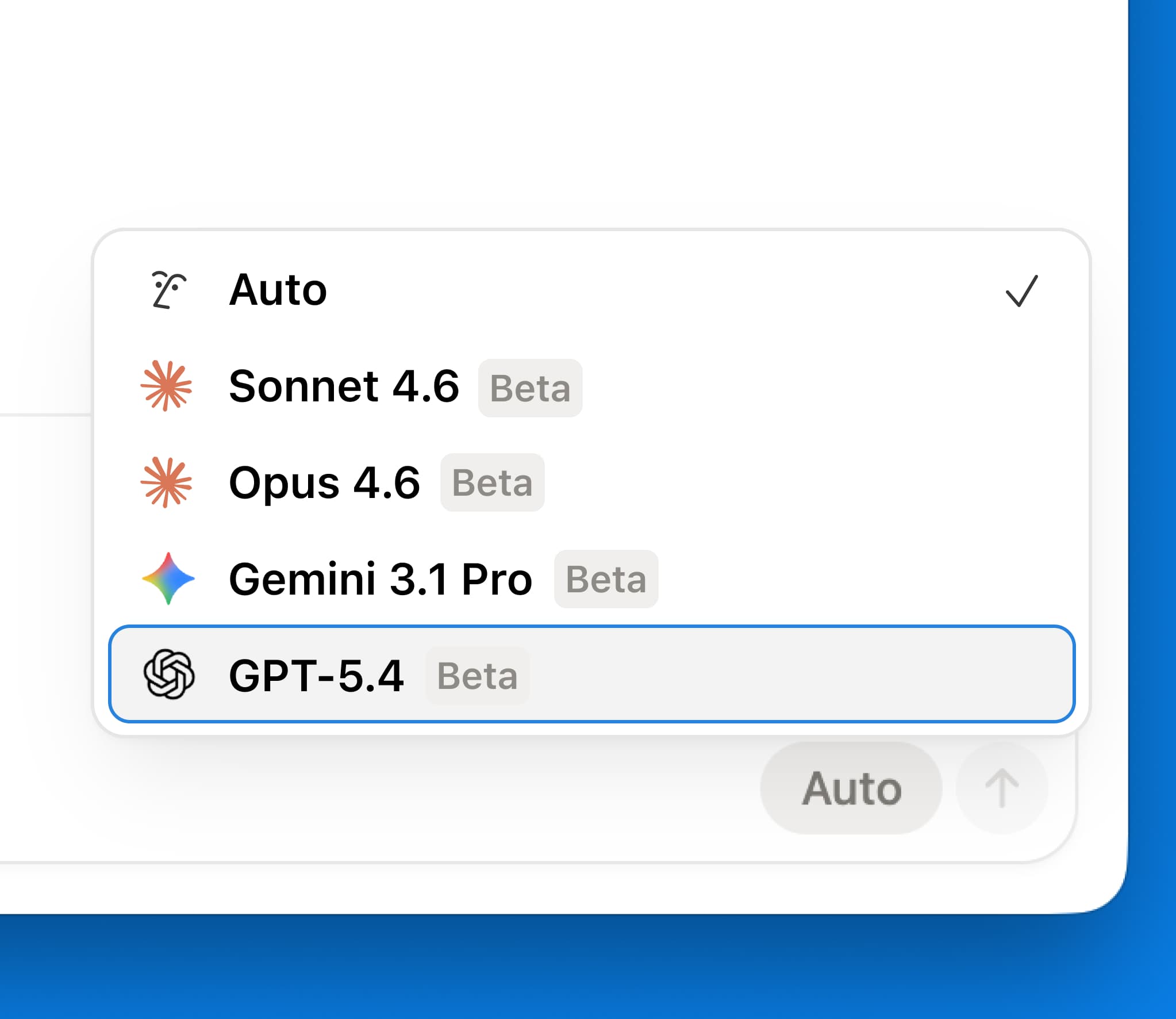
GPT-5.4 is now in Notion

GPT-5.4

GPT-5.4 is now available in Notion’s model picker. This is OpenAI’s latest and most capable model for professional work. Expect faster responses and better token efficiency for your most demanding tasks.

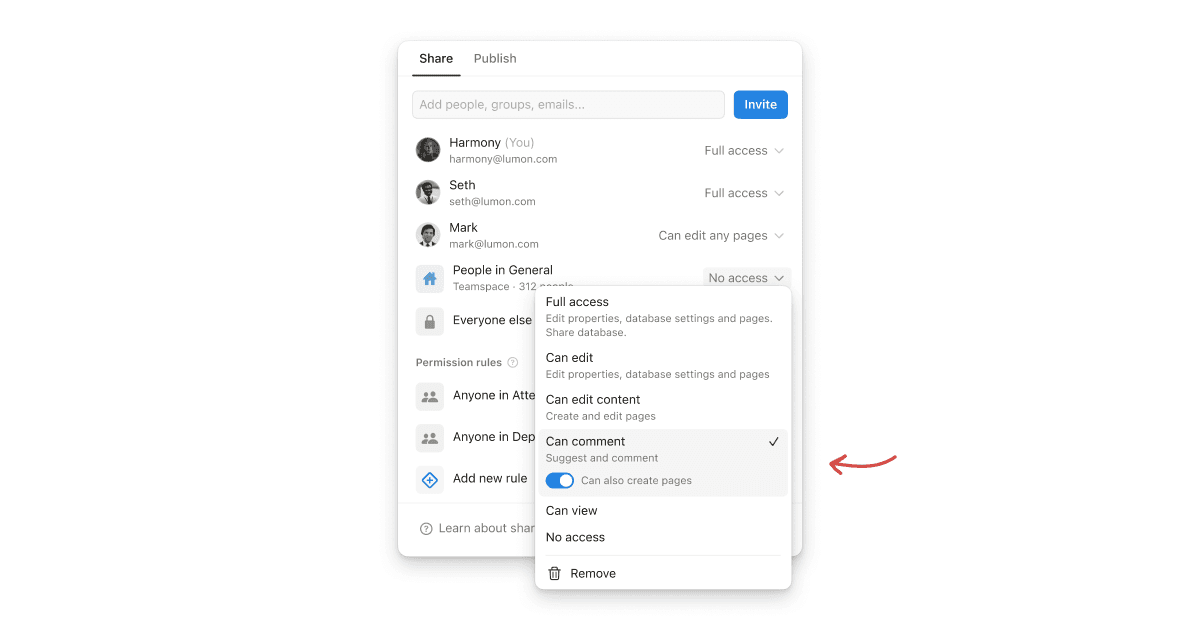
New “can create pages” database permission

The new “can create pages” database permission lets users create new pages in a database, while still being restricted from viewing or editing other contents they should not have access to.

Let’s imagine a meetings database where a teammate should be able to access their own meeting notes and create new meetings, without being able to view anyone else’s.

This feature provides more granular control over database permissions. Try it in cases where your team is working with external contributors or sensitive information.

Present any Notion page

Turn any Notion page into a fullscreen presentation. Just add dividers to separate your slides, then hit ⌘⌥P (Mac), Ctrl+Alt+P (Windows), or Present from the ••• menu. Your content auto-scales to fit the screen, with a clean title slide and fully functional toggles. Available on Plus plans and above.

Powered by Fruition